
XnView is a software to view and convert graphic files, really simple to use. XnView is provided as freeware for private non-commercial or educational use (including non-profit organization). Here is the instruction to tell you how to use it.
1. Download XnView from here:
http://www.filepuma.com/download/xnview_2.32-8372/
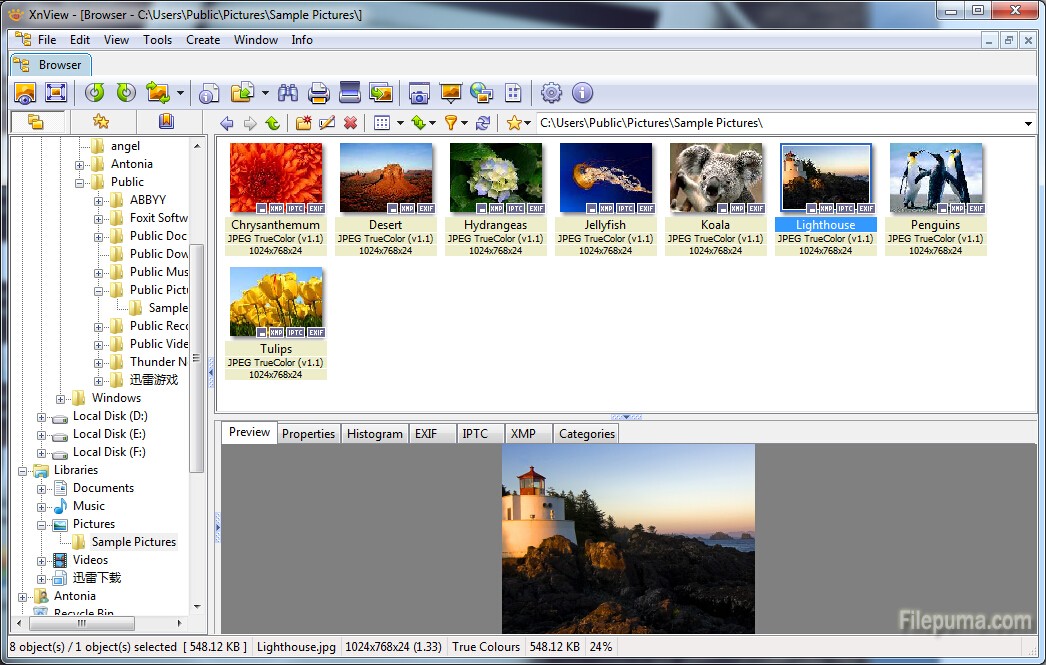
2. Here are the basic toolbar instruction:

Browser - for organizing and renaming your images.
Open - open your images for digital changes.
Search - Search for a file by its name, size, location, and a sundry of others.
Scan - If you have a scanner or a digital camera you can ‘acquire’ the pictures with this button.
Convert - you can batch convert files
Capture - Do a screen capture for whatever you might need screenshots for.
Quick slide show - Create a quick slide show with a collection of pictures or images.
Options - Make any changes in XnView that you need to do